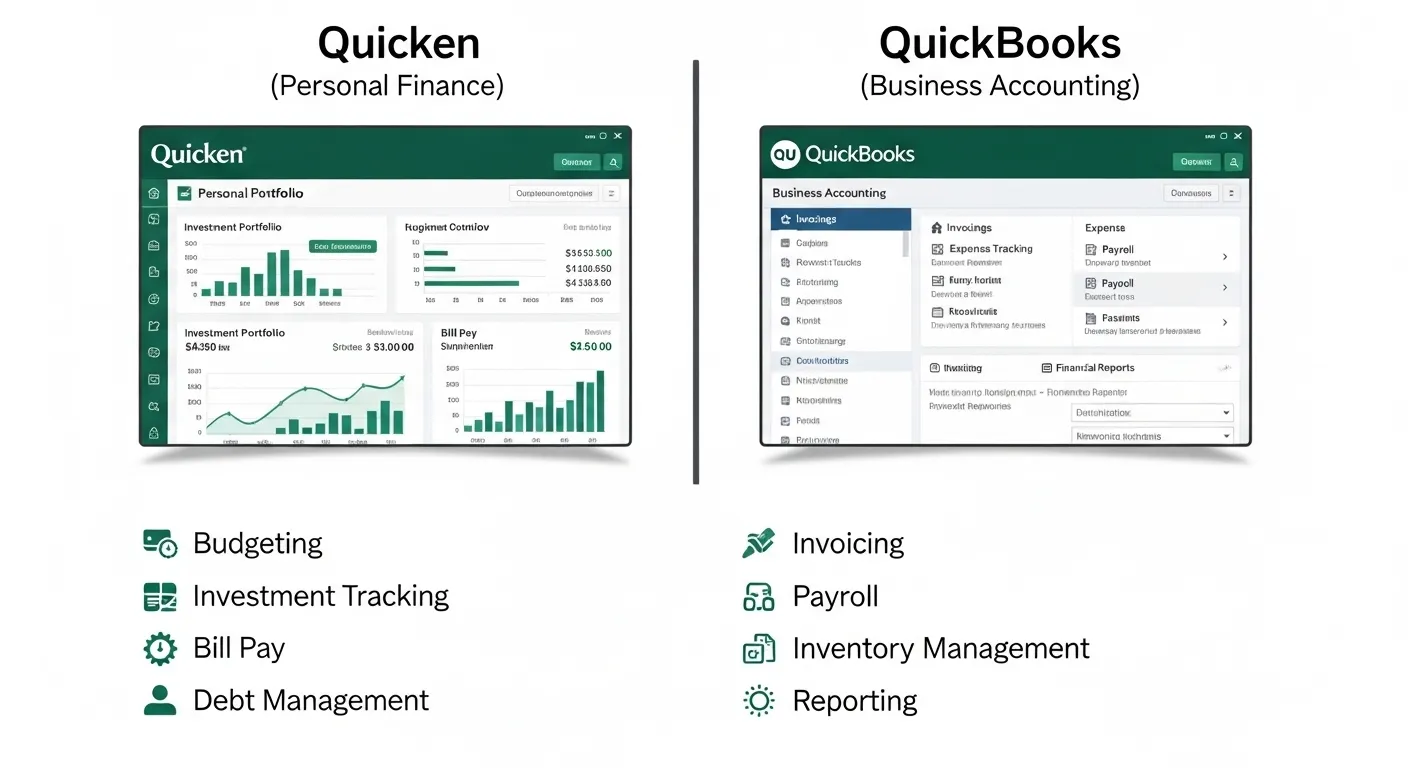
Aamir recently decided to take control of his finances. For his personal budgeting, he downloaded Quicken, hoping to track his expenses and savings. Meanwhile, his friend, who owns a small business, recommended QuickBooks for managing invoices and payroll. Aamir quickly realized there’s a big difference between Quicken and QuickBooks, but what exactly is it?
The difference between Quicken and QuickBooks lies in their purpose and functionality. While both tools help manage money, they are designed for entirely different users. Quicken focuses on personal finance budgeting, tracking bills, and managing investments. On the other hand, QuickBooks is built for businesses, handling accounting tasks like invoicing, payroll, and tax reporting.
Understanding the difference between Quicken and QuickBooks is important for anyone looking to organize their finances effectively. Whether you’re an individual trying to save money or a business owner managing accounts, knowing the difference between Quicken and QuickBooks helps you choose the right tool for your needs.
🔑 Key Difference Between Quicken and QuickBooks
- Quicken: Best for personal finance and household budgeting
- QuickBooks: Designed for business accounting and financial management
🌍 Why Is It Important to Know the Difference?
Knowing the difference between Quicken and QuickBooks helps avoid using the wrong tool. Individuals can simplify budgeting with Quicken, while businesses need QuickBooks for proper accounting and compliance. In society, these tools improve financial organization, decision-making, and economic efficiency.
🔊 Pronunciation
- Quicken
- US: /ˈkwɪk.ən/
- UK: /ˈkwɪk.ən/
- QuickBooks
- US: /ˈkwɪk.bʊks/
- UK: /ˈkwɪk.bʊks/
Now, let’s explore the difference between Quicken and QuickBooks in detail.
🆚 Difference Between Quicken and QuickBooks
1. Purpose
- Quicken: Personal finance management
- Example: Tracking monthly expenses
- Example: Managing savings goals
- QuickBooks: Business accounting
- Example: Recording business income
- Example: Managing company expenses
2. Target Users
- Quicken: Individuals and families
- Example: Household budgeting
- Example: Personal investments
- QuickBooks: Businesses and accountants
- Example: Small business owners
- Example: Freelancers
3. Features
- Quicken: Budgeting, bill tracking, investments
- Example: Expense categories
- Example: Financial reports
- QuickBooks: Invoicing, payroll, taxes
- Example: Generate invoices
- Example: Track business taxes
4. Complexity
- Quicken: Simple and user-friendly
- Example: Easy dashboards
- Example: Basic reports
- QuickBooks: More complex
- Example: Advanced accounting tools
- Example: Detailed financial statements
5. Accounting Functions
- Quicken: Limited accounting
- Example: No double-entry accounting
- Example: Basic tracking
- QuickBooks: Full accounting system
- Example: Double-entry bookkeeping
- Example: Balance sheets
6. Cost
- Quicken: Generally cheaper
- Example: Personal subscription
- Example: Lower pricing plans
- QuickBooks: More expensive
- Example: Business subscription
- Example: Add-ons cost extra
7. Tax Support
- Quicken: Basic tax tracking
- Example: Categorize expenses
- Example: Simple reports
- QuickBooks: Advanced tax tools
- Example: Tax filing reports
- Example: Integration with accountants
8. Multi-user Access
- Quicken: Mostly single-user
- Example: Personal use
- Example: Limited sharing
- QuickBooks: Multi-user support
- Example: Team collaboration
- Example: Accountant access
9. Scalability
- Quicken: Not suitable for business growth
- Example: Limited features
- Example: Personal focus
- QuickBooks: Scalable for growing businesses
- Example: Add features as needed
- Example: Supports expansion
10. Integration
- Quicken: Limited integrations
- Example: Bank syncing
- Example: Investment tracking
- QuickBooks: Extensive integrations
- Example: Payment systems
- Example: CRM tools
🔍 Nature and Behaviour
- Quicken: Simple, personal, and focused on budgeting and tracking.
- QuickBooks: Professional, detailed, and designed for business accounting.
🤔 Why Are People Confused?
People often confuse Quicken and QuickBooks because of their similar names and shared purpose of managing money. However, their features and target audiences are very different.
📊 Comparison Table
| Feature | Quicken | QuickBooks |
| Purpose | Personal finance | Business accounting |
| Users | Individuals | Businesses |
| Complexity | Simple | Advanced |
| Cost | Lower | Higher |
| Accounting | Basic | Full system |
| Multi-user | No | Yes |
| Similarity | Both manage finances | Both track money |
⚖️ Which Is Better in What Situation?
Quicken is better for individuals who want to manage their personal finances, track spending, and plan budgets. It is ideal for households and users who don’t need complex accounting features.
QuickBooks is better for businesses that need professional accounting tools. It helps manage invoices, payroll, taxes, and financial reporting, making it essential for business operations.
🧠 Metaphors and Similes
- Quicken: “Like a personal diary for your money.”
- QuickBooks: “Like a full accounting office in your computer.”
🎭 Connotative Meaning
- Quicken: Positive (simple, organized, personal)
- Example: “Quicken helps keep finances under control.”
- QuickBooks: Positive (professional, powerful, reliable)
- Example: “QuickBooks manages business finances efficiently.”
🗣️ Idioms & Expressions
- “Keep track of every penny” (Quicken)
- “Balance the books” (QuickBooks)
📚 Works in Literature
- Discussed in finance and accounting guides.
🎬 Movies
- Not directly featured, but used in business contexts.
❓ FAQs
1. Is Quicken the same as QuickBooks?
No, they serve different purposes.
2. Can I use Quicken for business?
Not recommended for full accounting.
3. Which is easier to use?
Quicken is easier.
4. Is QuickBooks expensive?
Yes, compared to Quicken.
5. Can I switch from Quicken to QuickBooks?
Yes, many users upgrade as their needs grow.
🌱 Usefulness in Daily Life
Quicken helps individuals manage personal finances, while QuickBooks supports businesses in maintaining accurate financial records.
✨ Final Words
Quicken is for personal control, while QuickBooks is for professional accounting.
🧾 Conclusion
The difference between Quicken and QuickBooks comes down to purpose and functionality. Quicken is ideal for personal finance management, offering simple tools for budgeting and tracking. QuickBooks, on the other hand, is a powerful accounting solution designed for businesses.
Understanding the difference between Quicken and QuickBooks ensures you choose the right software for your needs. Whether you’re managing household expenses or running a business, selecting the right tool can make all the difference in achieving financial success.